
Events and activities
Events and activities in Pluss
Staff publish an event once. Residents book and pay in the app, and staff see the count, the dietary needs and the attendee list in one place.
The 2 minute tour, 2:23. It uses a demo village with dummy data.

Today and in Pluss
What staff stop doing
These are the five jobs behind a village event that the tour follows.
Each event gets a clipboard in the foyer, and residents write their name on the sheet.
Residents book a spot in the app. Staff add phone bookings to the same list.
The day before a bus trip, someone rings every name on the sheet to check they're still coming.
The attendance list shows the count and the spots left. It moves as people book.
When the time changes, staff ring or email everyone who booked.
Staff click Send an alert to all attendees. Everyone booked gets the new details.
Dietary needs go in the margin of the sheet, then get typed up again for the kitchen.
Residents enter dietary requirements when they book. The CSV export lists them for the caterers.
People pay on the day, so the money sits in a tin until someone banks it.
Residents pay by card in the app when they book.
For staff
Publish an event once
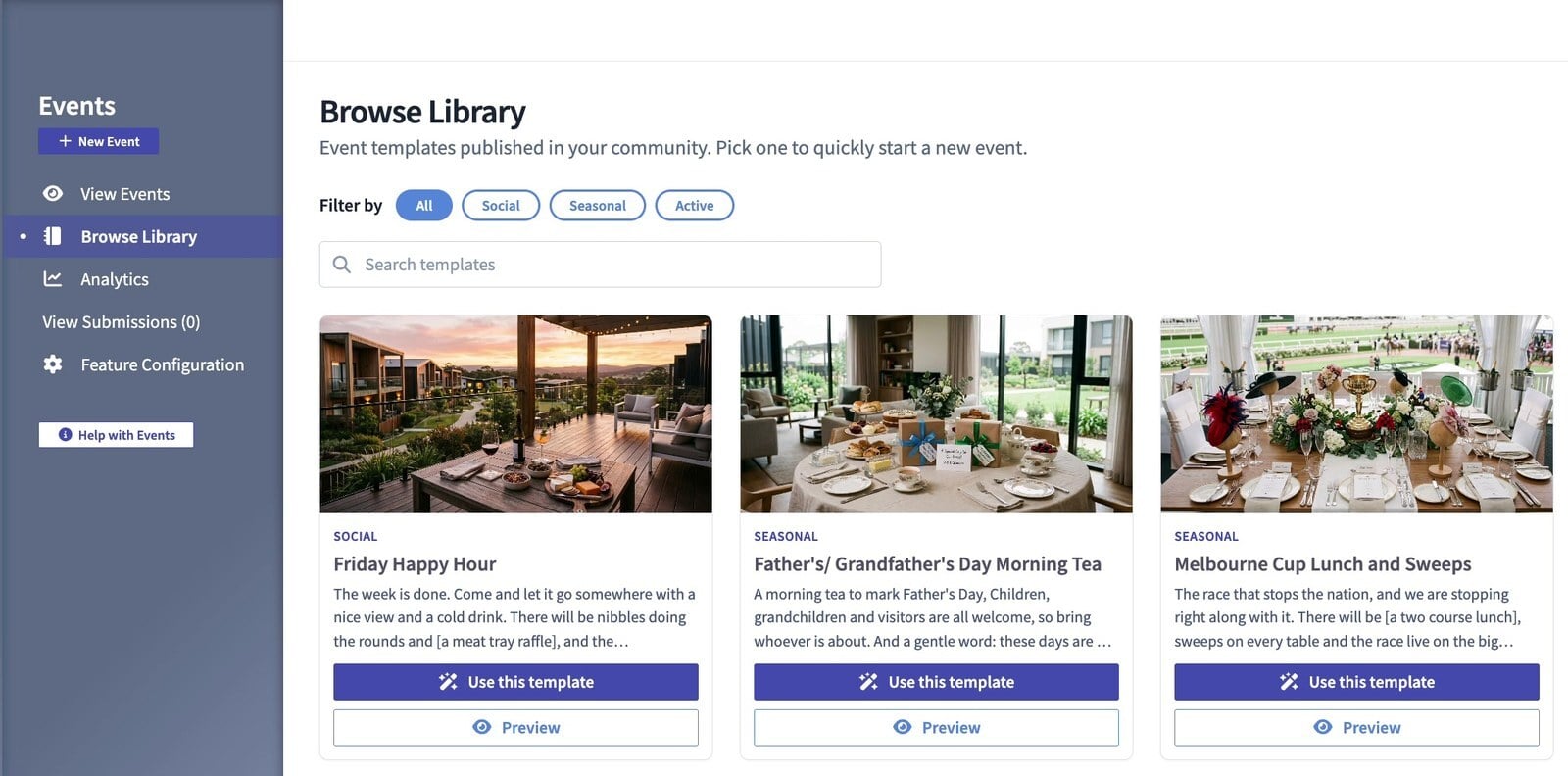
Staff create an event in Community Manager or from their phone. They can start from a template in the content library, with a title, a description and a photo.
- Set an attendee limit and the date RSVPs close. Residents see the cut-off on the event.
- Add time slots for a recurring event or for several sessions.
- Set one or more ticket prices for a paid event.
- Send a push notification and a confirmation email, and a reminder at a set time, such as an hour before.
- Show the event to everyone or to a custom audience. Location tags let residents filter events by place.
- Use an outside booking link for an event you don't run, such as a gala dinner.
For residents
Residents book in the app
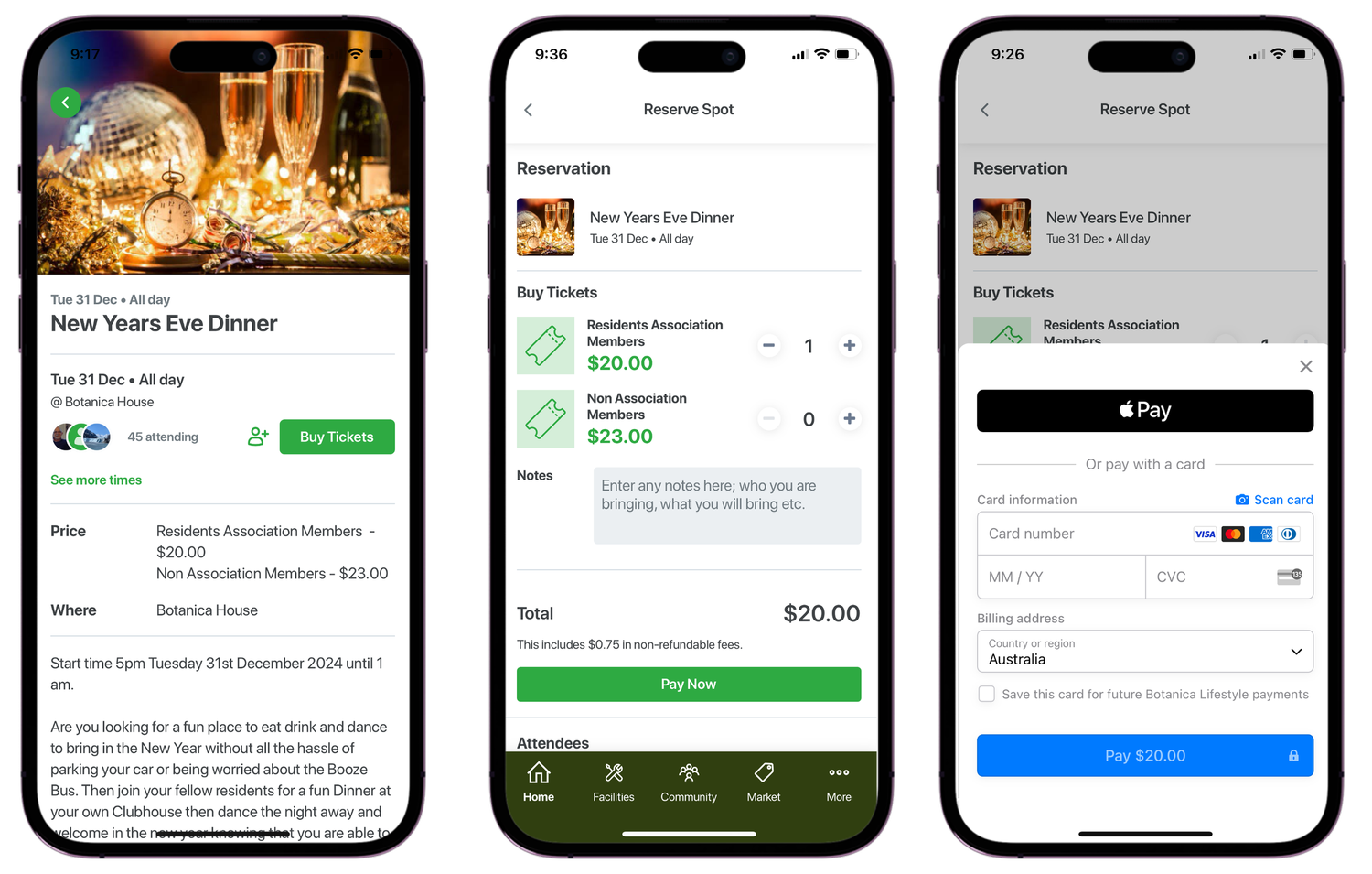
Residents see the village calendar on their phone and book a spot in a few taps.
- Book more than one spot, add a note and enter dietary requirements.
- Pay by card in the app for a paid event.
- Invite friends to the event after reserving their own spot.
- See who else is going, and comment on the event.
- Add the event to their phone calendar, and get a reminder before it starts.
The attendee list for each session
Manage Attendance shows everyone booked for each session, with the count and the spots left.
- Add residents who book by phone or at the desk, so every booking sits in one list.
- Cancel a booking. A paid booking is refunded automatically.
- Export the list to CSV with the fields you choose, dietary requirements included.
- Send an alert to everyone booked when the details change. Staff choose when it goes.
The month on one screen
Staff see every event by week, by month or as a list.
- Print the monthly calendar as a spreadsheet. This is in beta.
- Export every event in a date range to CSV.
- See page views and bookings for each event.
- Show the week's events on the community TVs.
- Approve events that residents create, if you want that step.
Customers
Residents on Pluss
“The Buddy app just makes us more together. It’s there for us. Which is pretty good.”
Residents average 79 years of age. Within 90 days of launch, 95% of residents used the app each week.
Across 21 communities, a median of 79.6% of residents are active every month.
Pricing
How Pluss is priced
Pluss is priced per property: each apartment, villa or unit in a village, each home in a land lease community and each room in an aged care home. There is no charge for staff or family users.
Every feature is included. There are no feature tiers and no fee per login. Pluss HQ is an add-on for operators with several communities.
Questions
Questions about events in Pluss
What about residents who don't use the app?
Staff add phone and front desk bookings to the same attendance list, so the count is complete. The community TVs show the week's events in common areas.
Can we charge for events?
Yes. Set one or more ticket prices, and residents pay by card in the app. When staff cancel a paid booking, the resident is refunded automatically.
Does the attendee list include dietary requirements?
Yes. Residents enter dietary requirements when they book. The CSV export lists them, so you can send the list straight to the caterers.
What happens when an event changes?
Staff click Send an alert to all attendees, and everyone booked for that session gets the new details. Pluss doesn't send it on its own, so staff choose when it goes.
Can residents create their own events?
Yes. Residents and community leaders can create events from the app. If you want an approval step, staff review each one before it goes live.
Can we print the monthly calendar?
Yes. The monthly view prints as a spreadsheet, which is in beta. The community TVs can also show the week's events.
By type of community
Pluss for each type of community
Book a 30 minute demo
See how a coordinator publishes an event, and how residents book and pay for it.