
Residential aged care
Residential aged care software
Pluss is residential aged care software for aged care providers in Australia. Residents, families and staff use the same Pluss app. Staff post news, events and alerts once, and families see them on their phone. With HELF, residents choose and sign for paid extras in the app.
Priced per room, with every feature included, HELF too.

Communities use Pluss.
People use the Pluss app.
Winner, Future of Ageing Awards, Consumer Experience.
ISO27001:2022 certified, with data hosted in Australia.
These figures cover retirement villages, aged care homes and land lease communities.
Day to day
How families and staff use Pluss
Residents and families use the Pluss app on their phones. Staff post from Community Manager on a computer, or from their phone.
Families
What families see
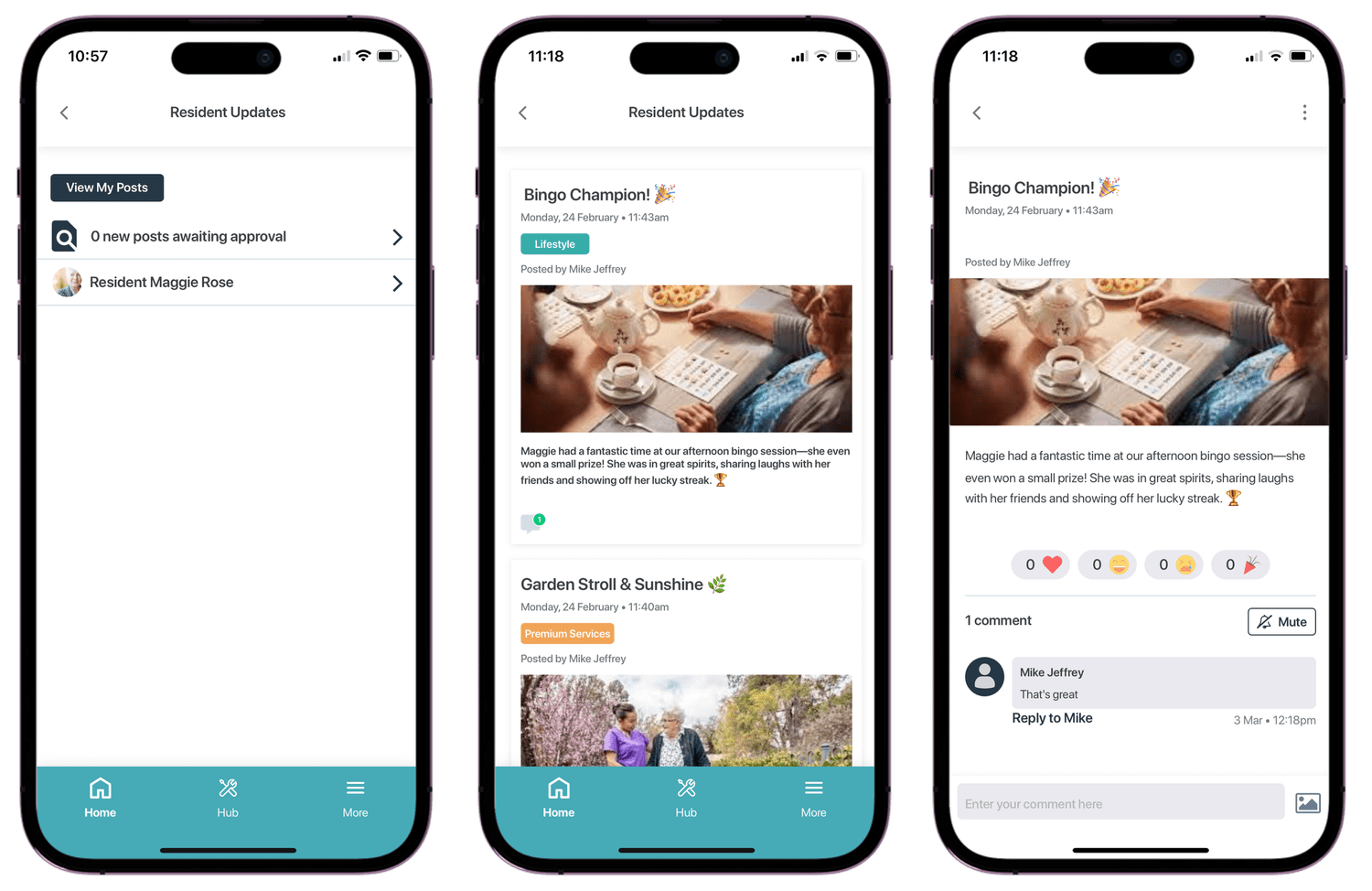
Family members download the same Pluss app as the resident. They see the home's news, events and photos on their phone. They can check this week's activities without ringing the front desk.
- A family member joins as a linked user, or as a member of the resident's care circle.
- Staff share a photo or a PDF into the care circle. The resident and their family see it straight away.
- Each circle member shows as Resident, Family or Staff.
- Residents and families can comment on news posts.
Staff
What staff do in Community Manager
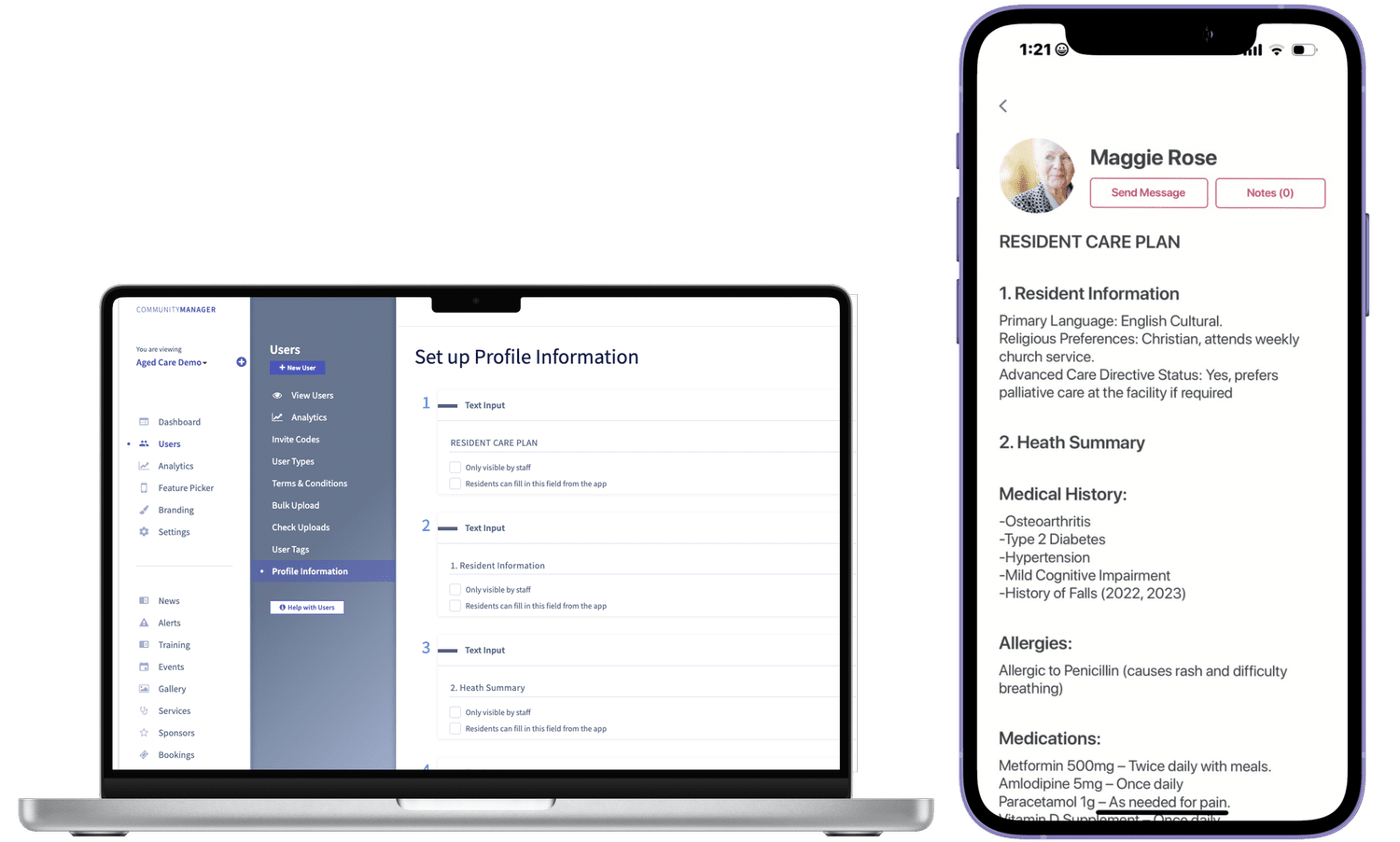
Staff run the day from Community Manager. The My Day page shows each staff member the day's activities, tasks and maintenance requests.
- An urgent alert shows on the lock screen, like any other notification.
- Community TVs show news, menus, photos and upcoming events in common areas.
- Staff log maintenance requests and track each one until it's resolved.
- When an event changes, staff send one alert to everyone booked.
- The event export lists each attendee's dietary requirements, ready to send to the caterers.
Pluss AI
Pluss AI drafts news and events
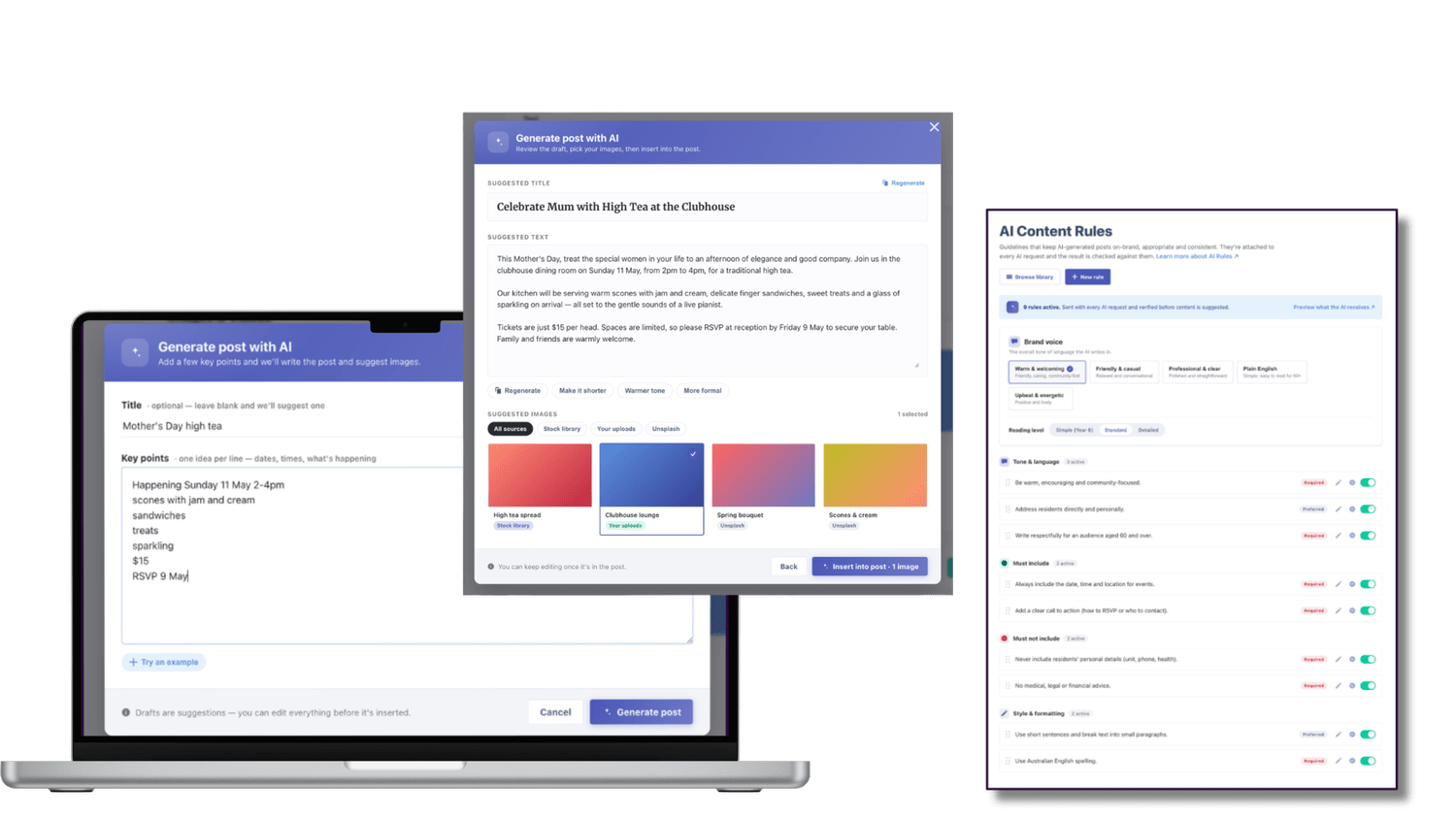
Pluss AI drafts news posts, event descriptions and updates, and finds an image for each one. A staff member can start a news post from a photo of an event.
Content rules keep each draft on brand and on tone. Nothing goes live until a staff member approves it.
Available now in Pluss.
HELF
Higher everyday living fees in Pluss
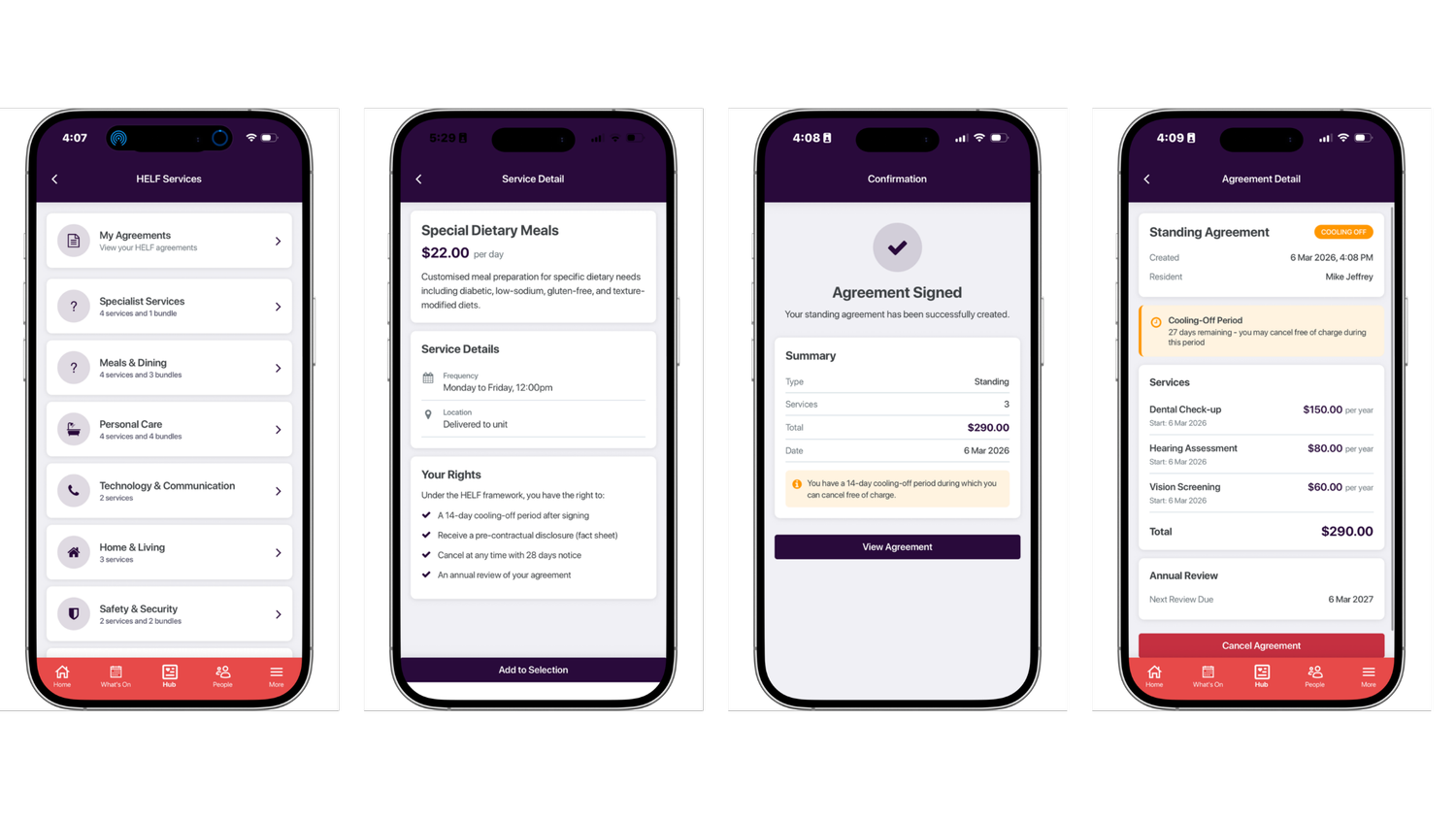
Under the new Aged Care Act, every paid extra a home charges for needs its own signed agreement with the resident. Pluss keeps each agreement in one record, from the resident's choice in the app to the services finance can charge.
The 2 minute tour, 2:17. It uses a demo home with dummy residents and demo prices.
Residents choose and sign in the app
Residents see every optional service and bundle with its price. They read the fact sheet and terms, give consent and sign.
Staff see the signed agreement straight away. A cooling off list shows every agreement still inside its 28 days.
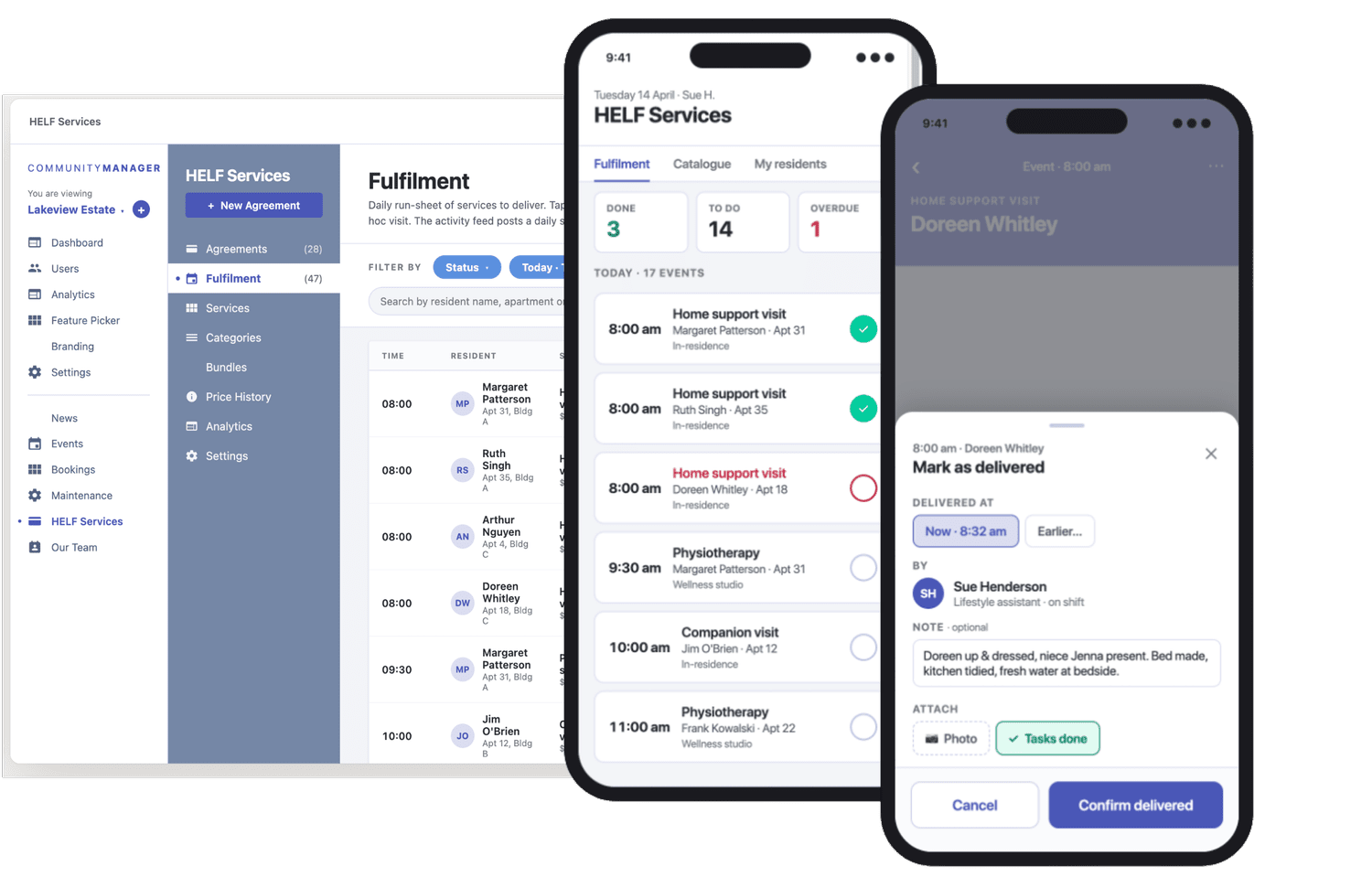
Staff mark each service delivered
Each day the team works from one list and marks each service delivered. If a service doesn't happen, they skip it and record the reason.
Finance sees what was delivered. A skipped service isn't charged.
Pluss doesn't make a home compliant. It keeps the record your team needs to show what each resident agreed to, what was delivered and what was charged.
Features
Features in Pluss for residential aged care
Every feature on this page is in the per property fee.
Posts carry photos, video and files, and can be scheduled. Tags control who sees each post.
An alert shows on the lock screen with the post's heading, then opens in the app.
Residents book events and services in the app. Event payments go through by card.
The resident, their family and staff share updates, photos and documents in one circle.
Common area TVs show news, menus, photos and upcoming events.
Residents and staff log requests. A resident can reply to a message about their request.
Build surveys with multiple choice, scale and free text questions. Run a live poll at a meeting.
Compare engagement with news, events and alerts. Export any data point to CSV.
Also in the platform
- HELF
- Pluss AI drafting
- Instant messaging
- Video posts
- Feedback and complaints
- Visitor sign in
- Forms builder
- Activity calendar
- Dietary requirements
- Resident profiles
- Resident activity feed
- Document library
- Linked users
- Role based permissions
- Multi site publishing
- Custom branding
Customers
Aged care customers on Pluss
“The Jindalee app delivers an outstanding user experience to the entire Jindalee community. It’s exciting to see their engagement through the comments and reactions.”
Customers can commission features for their own Pluss platform.
Bolton Clarke's Buddy app and Anglicare's commissioned features are permanent parts of their platforms.
Getting started
How a home starts on Pluss
Setting up takes days. We train your staff, so each home is live within weeks.
We brand your app
We set up the app from a template, with your look and your content.
We set it up with your team
Onboarding covers configuration, staff roles and training.
Staff and families join
We onboard your staff and residents' families to the app.
HELF, if you want it
We switch on HELF when your home is ready to offer optional services.
Pricing
How Pluss is priced for aged care
Pluss is priced per property: each room in the home. There is no charge for staff or family users.
Every feature is included, HELF too. There are no feature tiers and no fee per login.
In a working session, we model HELF revenue using your own services and resident numbers.
Questions
Questions residential aged care providers ask
What does Pluss residential aged care software cover?
It covers the family app, care circles, community TVs, events, maintenance requests and HELF agreements. Staff run it from Community Manager.
How much does residential aged care software from Pluss cost?
Pluss is priced per room, with every feature included, HELF too. There is no charge for staff or family users. Request a quote and we'll price your homes.
Does Pluss make our home compliant with the Aged Care Act?
No. Your team stays responsible for meeting the Act. Pluss keeps the record of what each resident agreed to, what was delivered and what was charged.
Is HELF a separate product?
No. HELF is part of the Pluss platform, priced per room along with everything else.
We don't run additional services yet. Can we start with HELF?
Yes. In a working session we look at your services and resident numbers and model what HELF could look like in your homes.
How do families use Pluss?
Families who join see the home's news, events and photos for themselves. Staff can share an update with the resident and family in one care circle post. How many families join varies from home to home, so we don't quote one figure.
How long does it take to get going?
Setting up takes days, and each home is live within weeks. We brand and set up your app, train your staff and switch on HELF if you want it.
Is our data secure?
Pluss is ISO27001:2022 certified and hosted in Australia.
Book a 30 minute demo
See the app your residents and families would use, and how a HELF agreement runs.