
Communication
Resident communication in Pluss
Staff write a post once, in Community Manager or on their phone. It reaches residents' phones and the community TVs, and Pluss shows who has read it.
In the per property fee, with no charge for family users.

Staff to residents
News, alerts and information
News
Community news
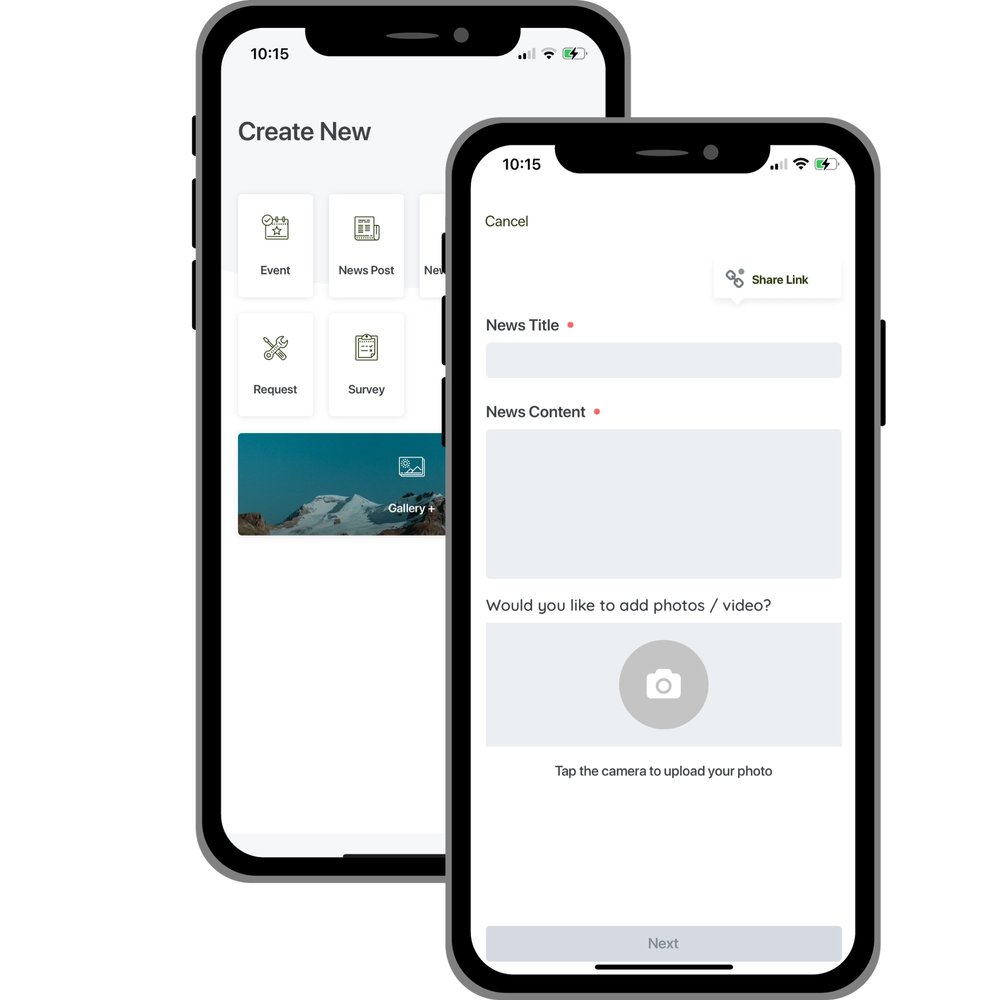
Staff write a post once. It goes to the app, and to the community TVs if they choose.
- Add photos, video and files, and schedule the post for later.
- Feature a post on the home screen.
- Send it to everyone or to a custom audience, with a push notification.
- Load a story from a web link, so staff don't start from scratch.
- See page views and reactions for each post.
- Residents can comment, and can send in posts for staff to approve.
Urgent alerts
Alerts on the lock screen
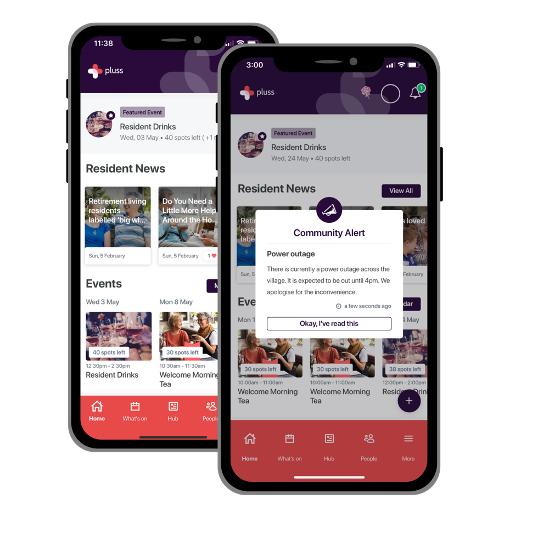
An alert shows on the resident's lock screen with its heading, then opens in the app as a Community Alert.
- Mark an alert important, and it holds the app's home screen until the resident dismisses it.
- Send it to everyone, a group, or one resident.
- Alerts drop out of notifications after a week, or on the date you set.
- Push the alert to the community TVs as well.
- Send it from Community Manager or from your phone.
Put resident handbooks, policies and parking rules in the app, as pages or PDFs in folders.
Update a page once and everyone has the current version. Send a notification when it changes.
List staff and village contacts with one tap to call or email.
Add maps of the community to the app.
Staff and residents upload photos to albums in the app. Staff choose which albums residents can see.
Photos can show on the community TVs.
Content library and Pluss AI
Posts that start from a draft
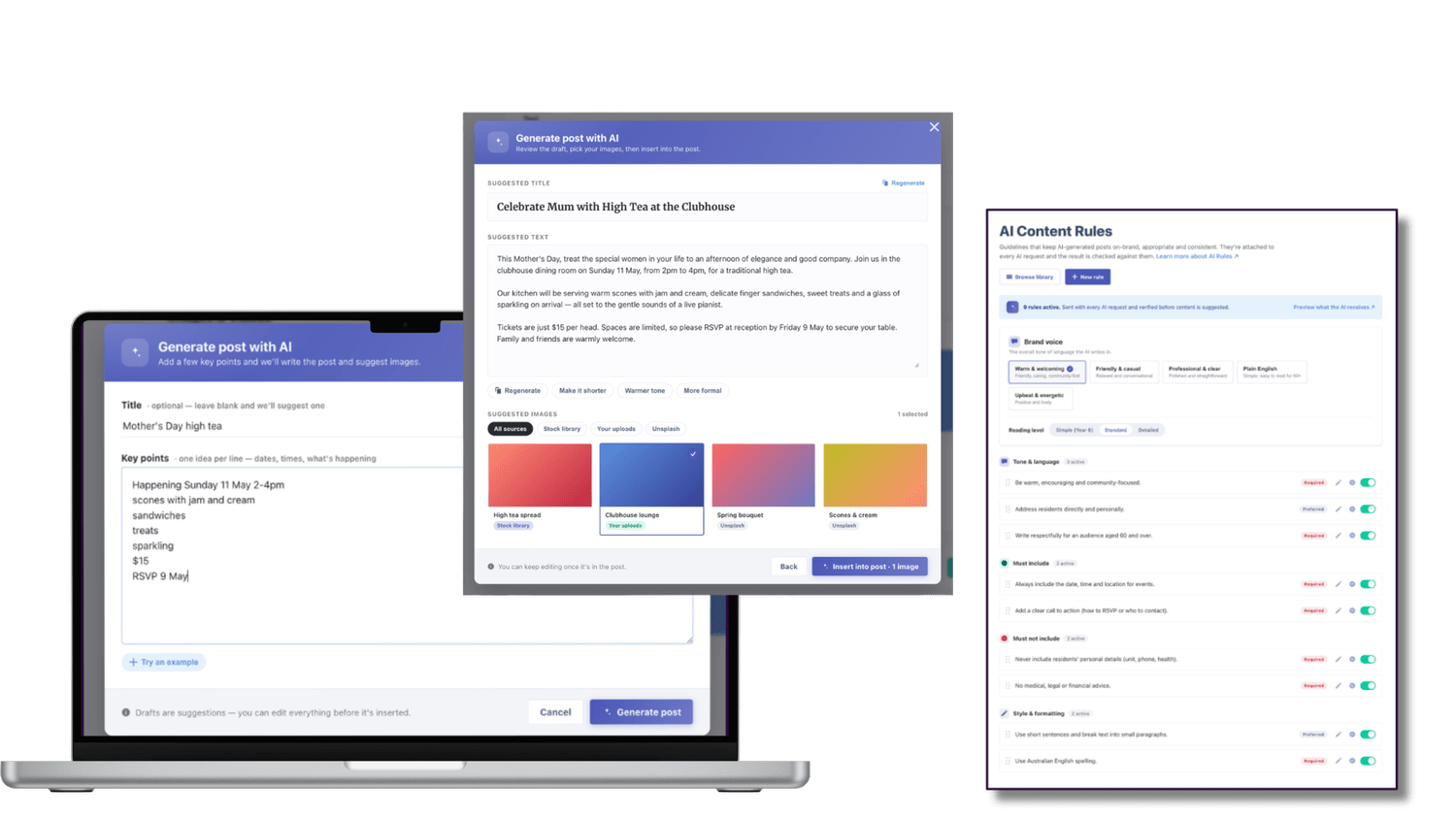
Staff start news posts and events from templates in the content library. Each template comes with a title, a description and a photo.
Pluss AI drafts a post from a few keywords, or from a photo of an event. Content rules keep each draft on brand and on tone. Nothing goes live until a staff member approves it.
Community TVs
News and events on the screens around the community
News, events, alerts and photos can show on TV screens in common areas. Residents who don't use the app see them there.
- Show the week's events, community photos, urgent alerts and the day's menu.
- Give each screen its own content, such as the menu in the café and events at reception.
- Run each screen wide or tall, to suit where it hangs.
- Staff activate, restart and check each TV from their phone.
For a memo that needs a record, a custom workflow sends it to a whole audience in one send. Every open and every question is recorded.
Residents and families
Residents, families and staff in one app
Residents message each other
- Residents find each other in the People list and send a private message.
- Residents who agree to share their number show a phone icon, so neighbours can call.
- Members can block another member, or hide themselves from the list.
Clubs and interest groups
- Residents create public or private groups, such as a card club or a walking group.
- Group admins add and remove members. Members share photos and files in the chat.
- Staff see every public group in Community Manager, and can upload meeting minutes.
Family members as linked users
- Family members join the app as linked users, at no charge.
- They see the photo gallery and messages, and the steps of a move-in or resale.
- A care circle puts staff, the resident and family in one group, with roles, photos and PDFs.
The resident activity feed
- Staff post daily updates about a resident, from Community Manager or their phone.
- Every family member linked to that resident gets a notification in the app.
- You decide which staff post straight away and whose posts are reviewed first.
Customers
Engagement at Pluss communities
Weekly engagement at Ozcare, Reflections on the Bay, within 90 days. Residents there average 79.
Weekly engagement at Kokoda Residences.
Weekly engagement at Botanica Lifestyle Resort.
Weekly homeowner engagement at GemLife.
“We wanted to create a beautiful community at Kokoda and this is exactly what the app did for us. It is also extremely easy to use.”
Operators with several communities publish one post to every community, or to the ones they choose.
Head office can build a shared library of draft posts and events for each community to publish.
Pricing
How Pluss is priced
Pluss is priced per property: each apartment, villa or unit in a village, each home in a land lease community and each room in an aged care home. There is no charge for staff or family users.
Every feature is included. There are no feature tiers and no fee per login. Pluss HQ is an add-on for operators with several communities.
Questions
Questions about communication in Pluss
How do residents who don't use the app see the news?
Community TVs show news, events, alerts and photos in common areas. Across 21 communities, a median of 79.6% of residents are active in the app every month.
Can we see who has read a post?
Yes. Pluss shows who has read each post, and each post's page views and reactions.
Can we send a post to one building or group?
Yes. Send any post or alert to everyone, to a custom audience, or to one resident.
Can staff post from their phone?
Yes. Staff post news, events and alerts from the app on their phone, as well as from Community Manager.
Do family members pay to use the app?
No. Pluss is priced per property, with no charge for staff or family users.
Can head office post to every community?
Yes, with Pluss HQ. It publishes one post to every community, or to the communities you choose.
By type of community
Pluss for each type of community
Book a 30 minute demo
See a post go from Community Manager to residents' phones and the community TVs.