
Pluss AI
Pluss AI in Community Manager
Pluss AI drafts news posts and event descriptions today. The Community Manager Assistant is in beta from November 2026. Staff ask for a job in their own words, and it sets out every change for a yes.
The Community Manager Assistant beta starts in November 2026 with a small group of customers.
Available now
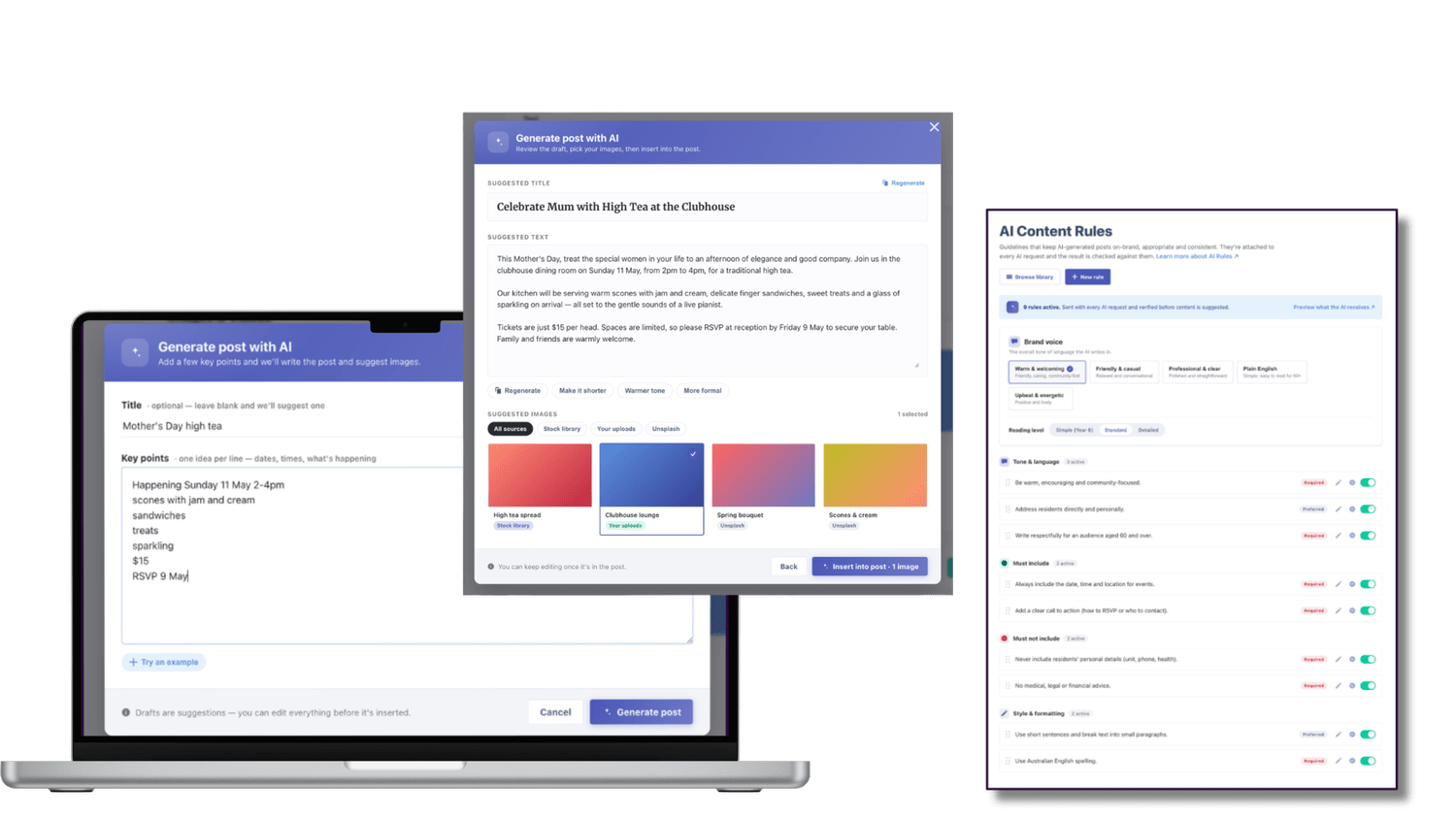
Drafts for news posts and events
Staff enter a few keywords, or start from a photo of an event, and Pluss AI writes a draft. It also finds an image for each one.
- Content rules keep each draft on brand and on tone.
- Staff can make a draft shorter, warmer or more factual, continue it, or write it again.
- Nothing goes live until a staff member approves it.
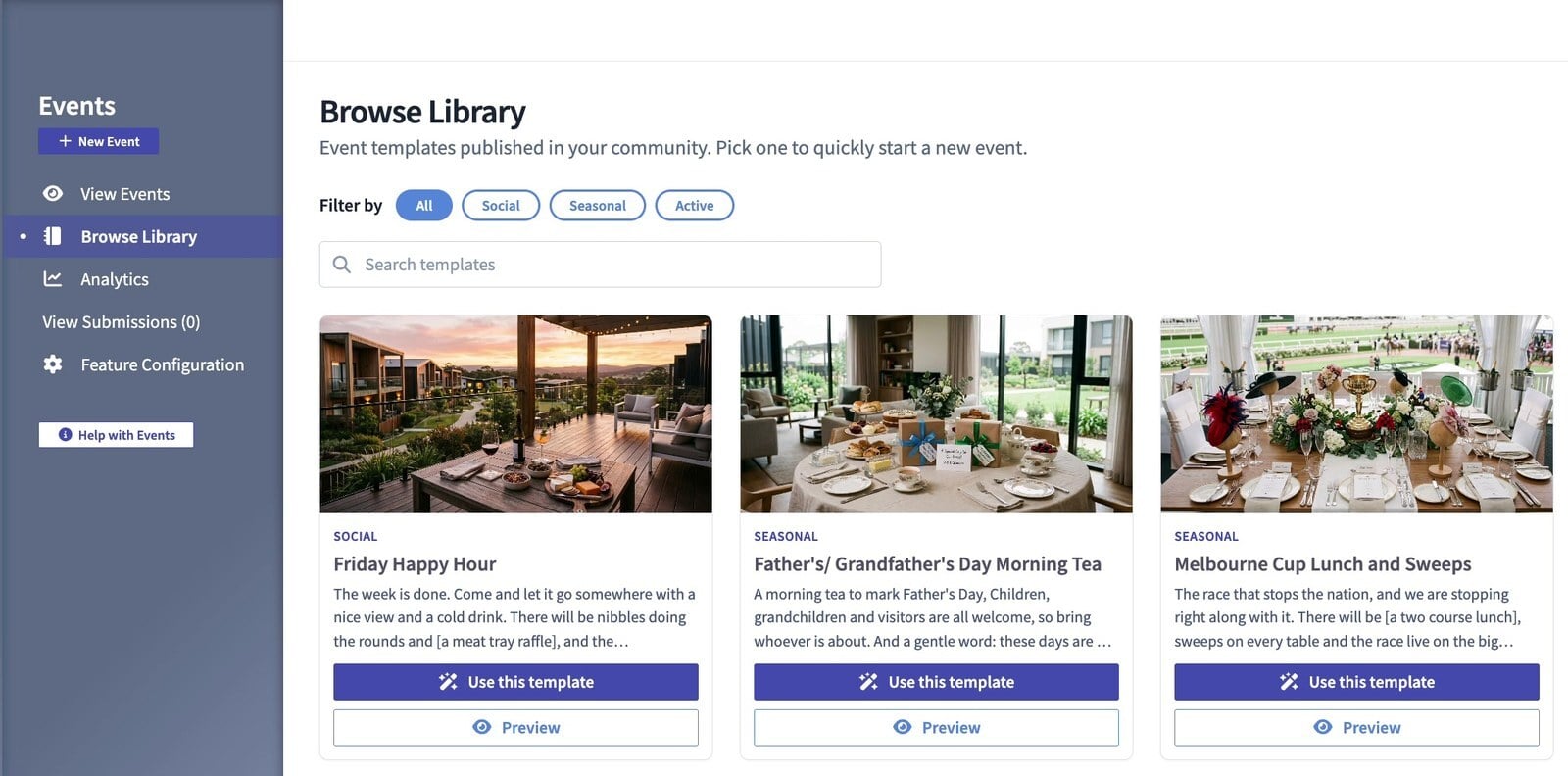
Staff can also start a post or an event from a template in the content library.
In beta from November
How the Community Manager Assistant handles a job
Staff ask for a job in their own words. The Community Manager Assistant checks your records, sets out every change as a plan, and makes the changes when they say yes.
Ask
A staff member opens the Community Manager Assistant and asks for a job in their own words.
It checks
It looks up what the job needs first, such as a club's members or whether a room is free.
The plan
It writes out every change as a plan. Nothing has changed yet.
You decide
Keep, edit or discard each part. A notice to residents also needs the staff member's password.
Done
Say yes and the changes are made.
By hand: 5 tasks in Events, News, Groups, Bookings and Alerts.
With the assistant: 1 request and 3 changes, made when the village manager says yes.
By hand: 4 reports copied into one spreadsheet, then charted.
With the assistant: 1 question. The pinned chart refreshes every day from your records.
Automations, in the beta
Repeat jobs and automations
Staff set up a recurring or triggered job once. Each one runs on its own or waits for a yes every time, depending on how it's set up.
A monthly reminder to every club and activity leader to send in their news.
Certain maintenance jobs go straight to the right staff member as soon as they're logged.
A monthly report to head office, sent once the village manager adds a note and says yes.
Each automation sits on the dashboard of the staff member who set it up, where they can pause or edit it.
The videos
The Community Manager Assistant at a village and at head office
The videos use a demo village with dummy data. Everyone in them is fictional and AI generated.
Control
Approvals, logins and data
Staff approve each plan before anything changes. They can keep, edit or discard each part.
Each assistant works on its owner's login, so it can do only what they can do.
Your data stays in your own Pluss account, in Australia.
Every staff role gets its own assistant: village and community managers, lifestyle coordinators, maintenance teams and head office.
The beta is for staff in Community Manager. The next release brings it to the app for staff and resident leaders. Residents and families are on our roadmap.
Pricing
How Pluss is priced
Pluss is priced per property: each apartment, villa or unit in a village, each home in a land lease community and each room in an aged care home. There is no charge for staff or family users.
Every feature is included. There are no feature tiers and no fee per login. Pluss HQ is an add-on for operators with several communities.
Questions
Questions about Pluss AI
Can staff use Pluss AI today?
Yes. Pluss AI drafts news posts and event descriptions now. Nothing goes live until a staff member approves it.
When does the Community Manager Assistant beta start?
In November 2026, in Community Manager, with a small group of customers.
Does the Community Manager Assistant only answer questions?
No. It makes changes in Pluss, such as creating an event, booking a room, and writing a news post and a notice. Each change waits for a staff member's yes.
Can the Community Manager Assistant change anything without a yes?
Only a repeat job that a staff member set up to run on its own, and said yes to. Every other change is a plan that waits for their yes.
What can the Community Manager Assistant see?
It works on each person's own login, so it can do only what they can do. It gets no extra access.
Can residents use the Community Manager Assistant?
Not yet. The beta is for staff in Community Manager. The next release brings it to the app for staff and resident leaders. Residents and families are on our roadmap.
Book a 30 minute demo
See Pluss AI draft a post, and ask about a place in the November beta.